
Software for running your online sales
Sell in many places. Manage orders in one.
Bring together orders from shops and marketplaces, run your warehouse and print labels in NOXTI. Less retyping and switching between dashboards, from purchase to shipped parcel.
- Orders and labels in one place
- Orders download on their own and the carrier label prints from NOXTI.
- See where your stock is
- Check stock across warehouses and keep company data separate.
- Workers know what to pick and pack
- Tasks and product scanning on a warehouse device.
The video shows NOXTI screens with sample data. Feature availability is confirmed in the offer. Sync timings are illustrative and depend on provider APIs and limits. AI results require user verification. Watch on YouTube
Live
Companies working with NOXTI, in numbers
Data from NOXTIas of 09.10.2026 13:30
- Syncs in the last hour
- 9 100
- Stock updates, last 15 minutes
- 969
- Prices synced, last 15 minutes
- 26
- Shipment statuses, last 15 minutes
- 8
- Orders at snapshot date
- 550
- Orders in the last 12 months
- 460 000
- Marketplace accounts connected
- 45
- Carrier accounts connected
- 22
Who makes it
The system the OMBRE store runs on
NOXTI was written by a team with 18 years of experience selling OMBRE men's clothing. For several years it ran our own orders, warehouse and shipping first. Today we offer it to other companies.

- Team experience
- 18 years in e-commerce
- Brand
- OMBRE, menswear
- NOXTI in-house since
- 2021
Integrations
Connect the channels you already use
Integrations in the catalogue: 79






What the system covers
From order to shipped parcel — all in one place
Selling in several places? Collect orders in NOXTI, let your team pick and pack, and print labels without switching dashboards. Less retyping makes shipments easier to keep track of.
Orders
See which orders are waiting to ship without checking each shop separately.
- Orders from connected shops and marketplaces arrive automatically
- The system reserves available stock when importing an order
- The carrier label prints from the order list
- Handle returned goods and settlement alongside the original order
Warehouse
Workers see where to find each product and which parcel it belongs in. Scanning helps check that they picked the right item.
- A rack, a bin and a cart shelf each have their own scan code
- The operator scans the location, then the product, on the terminal
- A replenishment task is created when the pick face drops to its minimum
- Every stock movement stays in the history with the operator and the time
Products
Keep descriptions, photos, prices and stock together instead of searching across dashboards and files.
- Each variant has its own SKU and EAN code
- The description translation and the price for each market on one product card
- Match a product category to connected marketplaces once
- You upload and download the product catalogue as an Excel file
- Import
- Reservation
- Picking
- Sorting
- Packing
- Dispatch
- Tracking
- Return
Warehouse
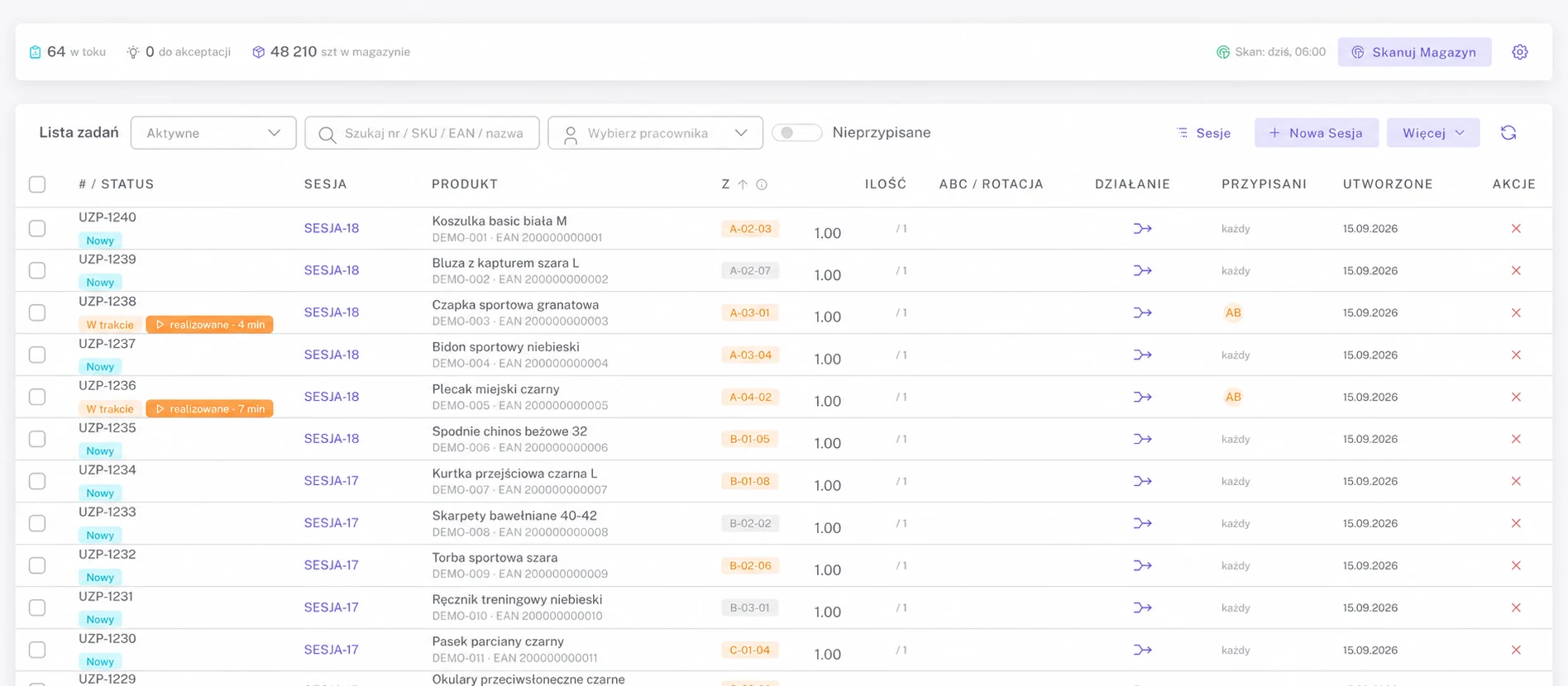
Everyone in the warehouse knows what to do next
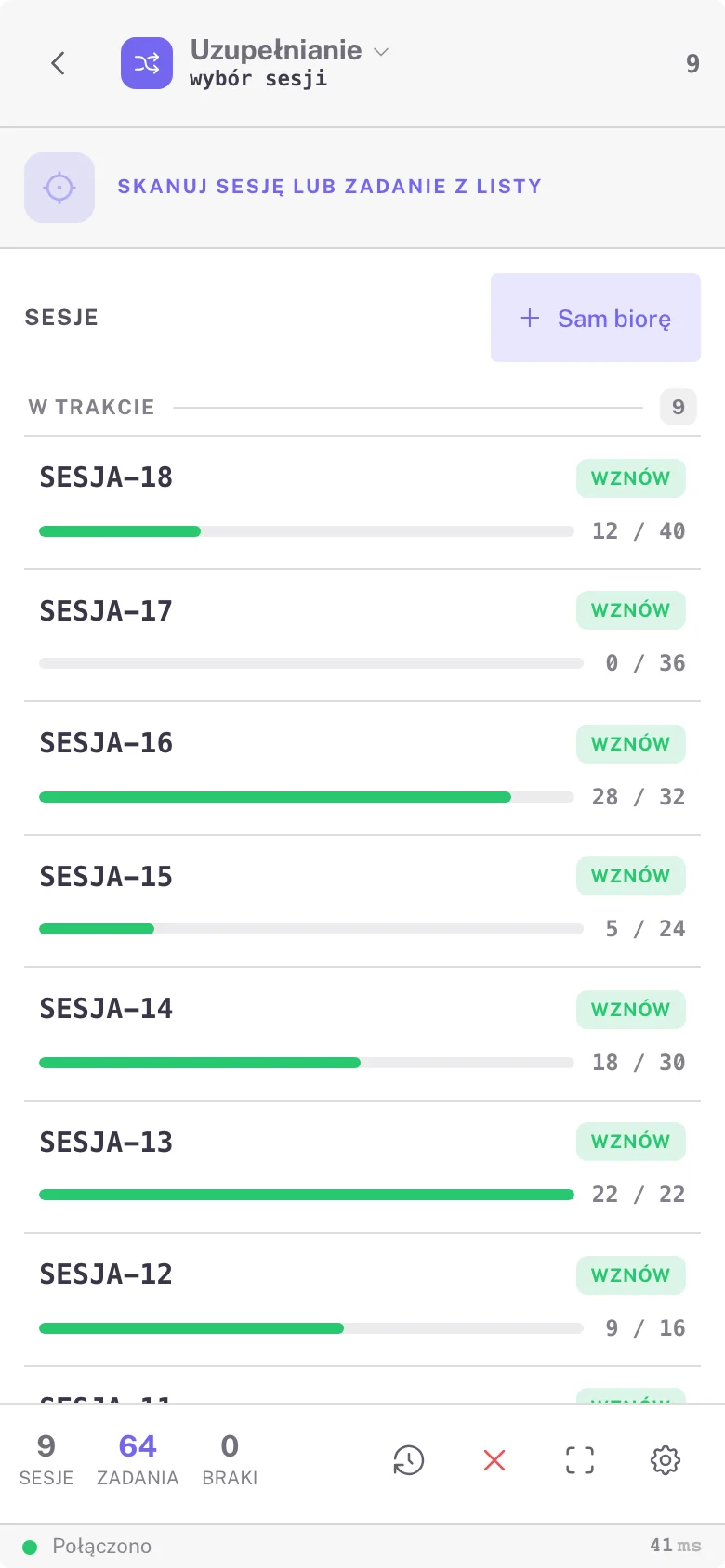
Workers receive a task on their device: where to pick goods and where to put them. Managers see picking and packing progress, making it easier to assign work and respond to delays.
- Source and target location on every task
- Work sessions with live progress
- Shortages reported from the handheld without stopping work
Automation
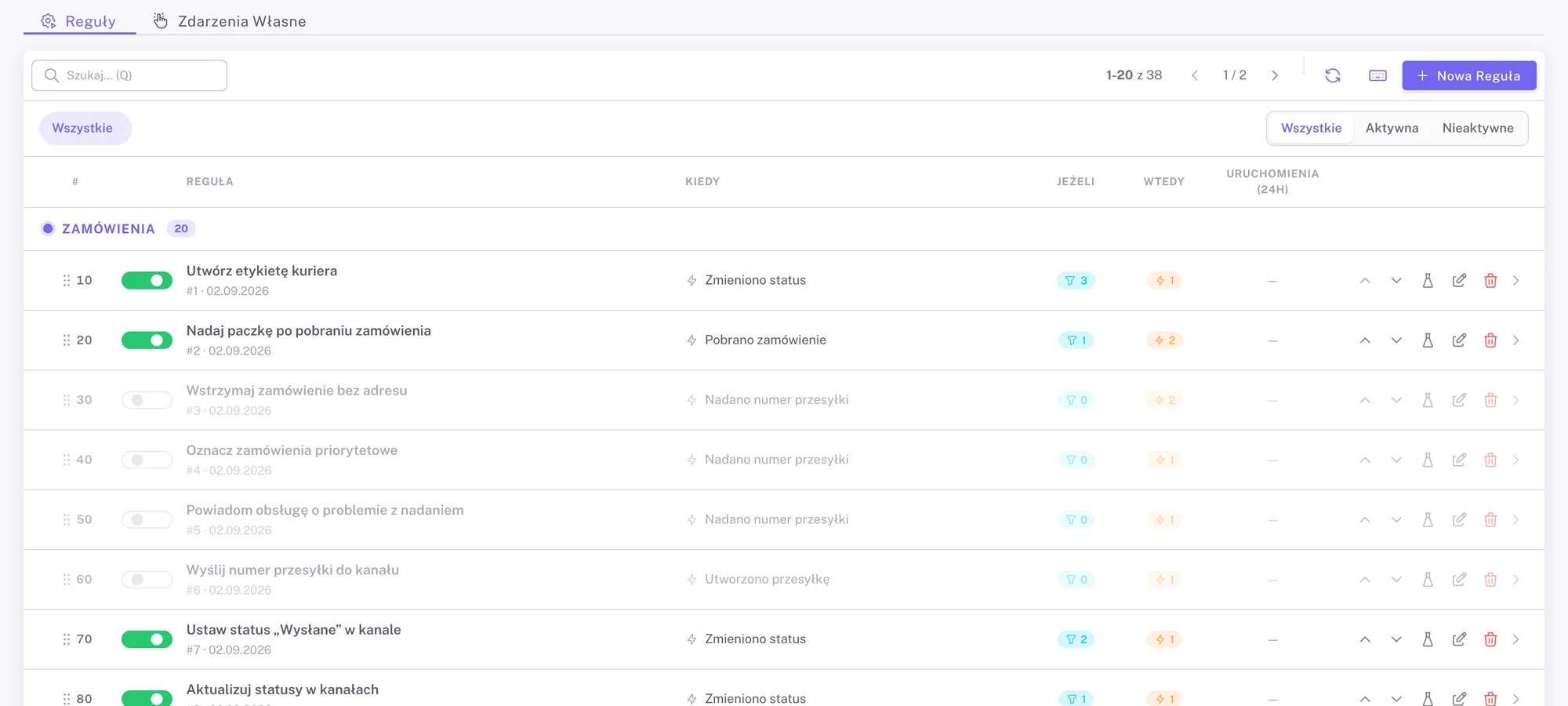
Repetitive clicks? Let the system do them for you.
Choose when NOXTI should assign a carrier, change an order status or notify your team. The system follows your rules and records what it did.
Products
Product details at hand, instead of scattered across files
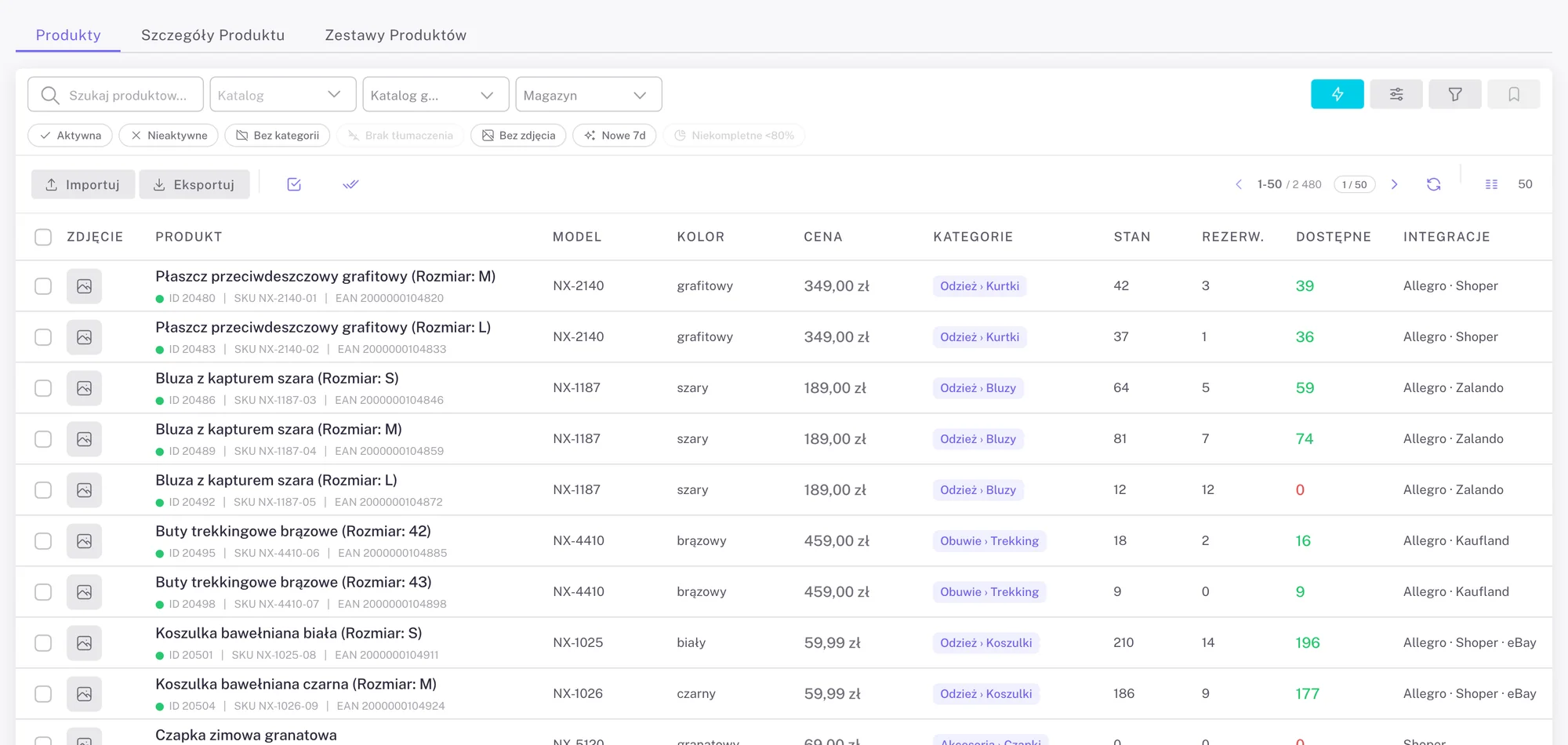
Check descriptions, prices, variants and available stock on one card. Send price and stock updates to connected shops and marketplaces from NOXTI.
- Variants with their own SKU and EAN
- Stock, reservations and available quantity for every product
- Gap filters: no category, no photo, no translation
Onboarding
Implementation starts with how you pack parcels today
- 01
Process review
You describe your sales channels, the number of orders a day and the rack layout.
- 02
Scope and quote
You receive an offer with the per-order rate and the list of integrations we will connect.
- 03
Configuration and testing
We connect the marketplace and carrier accounts and take a few test orders from import to label.
- 04
Go-live
Start handling orders in NOXTI. Support scope and hours are agreed in the contract.
Pricing
Pay per order
A fixed maintenance fee plus a rate for every order processed. The higher the volume, the lower the price per order.
| Number of orders | Rate per order |
|---|---|
| Up to 5,000 | PLN 0.45 |
| 5 001–15 000 | PLN 0.40 |
| 15 001–30 000 | PLN 0.35 |
| Over 30,000 | PLN 0.30 or a custom rate |
| Maintenance fee | PLN 199 / month |
FAQ
Frequently asked questions
Can NOXTI connect to my store and carrier?
Can I use multiple warehouses?
Which devices does the warehouse use?
How much does NOXTI cost?
Can I see the system before making a decision?
See how NOXTI can make your team’s work easier
Before the meeting you tell us where you sell and how many orders you pack a day. During the demo we take one order from import to the carrier label.